


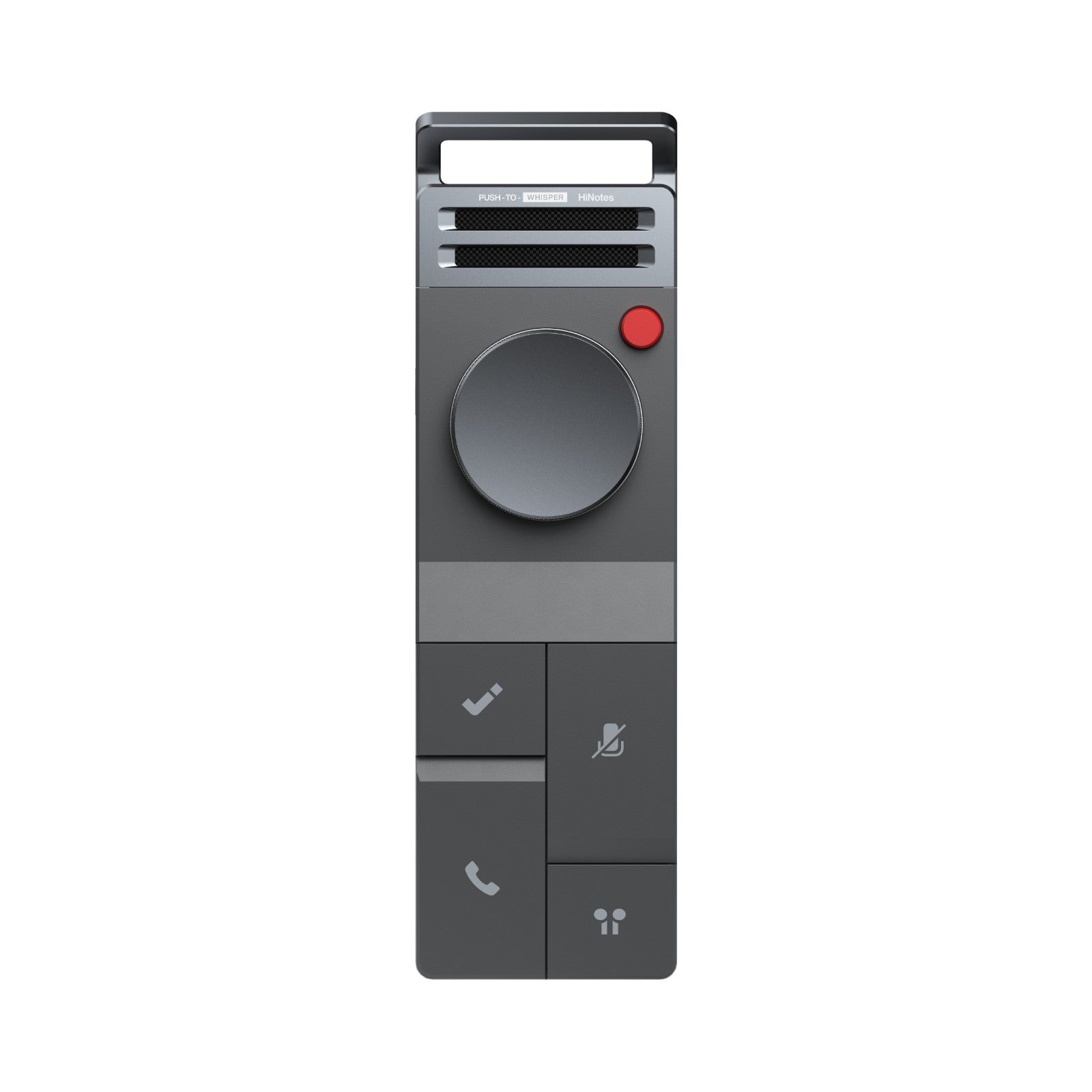
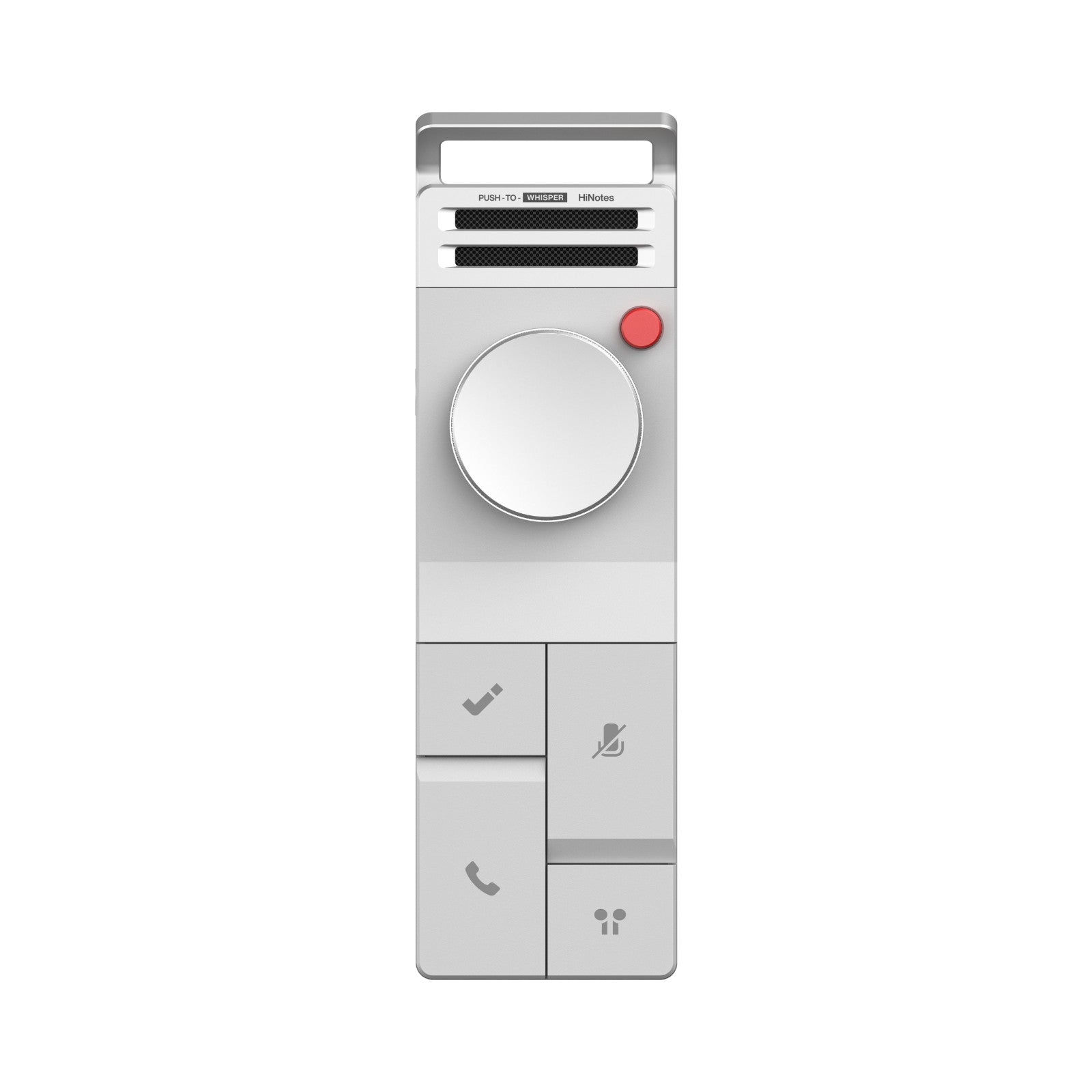


HiDock P1
Record your meetings — through your earphones, or on its own.


Klarnaor 4 interest-free payments of $49.75
Pair it with HiDock P1 mini
For calls on your phone · $59 $119
Both for $245.10 with the extra 5% off



“This is the world’s first AI Bluetooth earphones recorder capable of recording what’s happening on your AirPods.”
As featured in
- Yanko Design
- WIRED
- Forbes
- CNET
- Yahoo
BlueCatch™
Record through the earphones
you already wear.
Standard Bluetooth recording only captures your voice. BlueCatch™ records both sides of Zoom, Teams and Meet calls through the earphones you already own.
No bot in the meeting
Nothing joins the call, so there is no recorder in the participant list.
Works with the apps you already use
No plug-in or account link to add in Zoom, Teams or Meet. Join the call as usual.
No driver, no installation
Plug P1 into USB-C and choose it as the audio device in Zoom, Teams or Meet.
- Zoom
- Microsoft Teams
- Google Meet
- Webex
- Slack
Calls and online meetings: connect P1 to your laptop with the included USB-C cable. Let people know when you record.
Reviews
What P1 owners say
4.4 out of 5 · 303 verified reviews on hidock.com
“I’m always in long extended meeting calls with customers and internal calls, so I’m always wearing my AirPods, and with BlueCatch it’s perfect! Easy to set up, easy to operate.”
“…the HiDock has proven to be perfect for my Teams meetings on my laptop. The main reason I chose it is the innovative BlueCatch function, something I haven’t found on any other device.”
“Build quality feels premium – solid materials and thoughtful design that doesn’t feel like a typical gadget. Audio recording quality is crisp and clear, picking up voices reliably even in group calls.”
Record · Transcribe · Summarize
Your AI note taker
for every meeting.
Press record on P1. The free HiNotes app turns every call and meeting into a transcript, a summary and next steps.
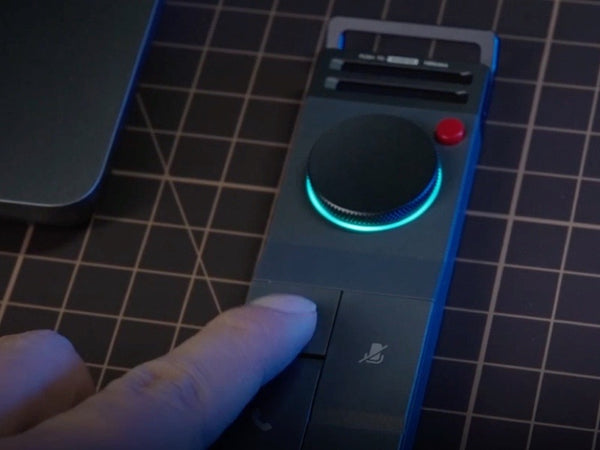
01 Record
One press on P1 starts recording, on a call or across the table.
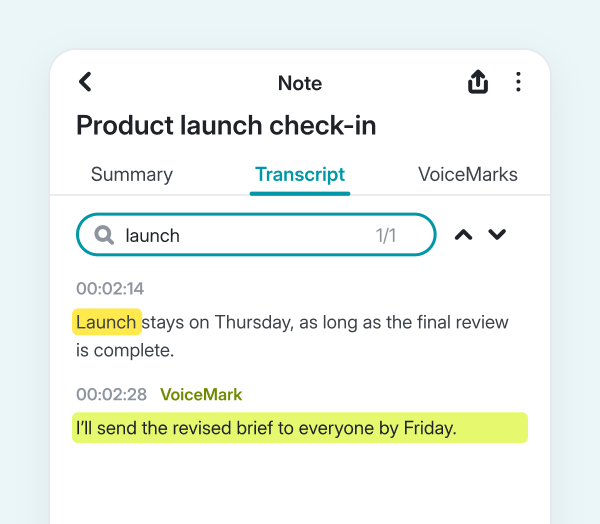
02 Transcribe
HiNotes turns it into a transcript in 75+ languages, with timestamps.
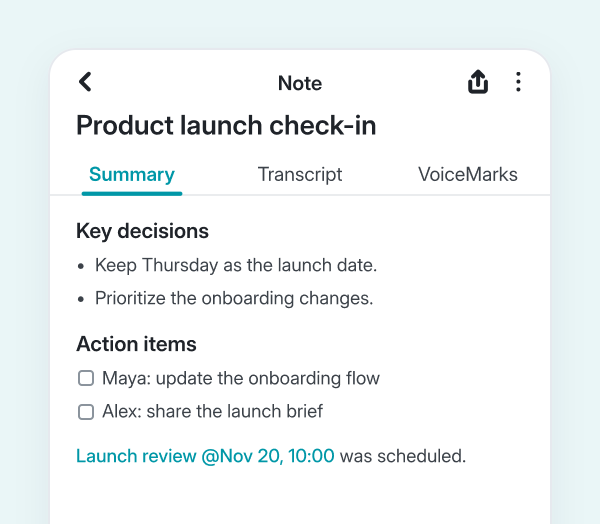
03 Summarize
Get a summary, key points and action items, ready to share.
HiNotes · Included with every P1
Transcription included.
For life.
Many AI recorders cap free transcription at a few hundred minutes a month. Every HiDock P1 comes with unlimited core transcription for life, so there are no minutes to count.
*Claim them in HiNotes under Profile → Plans. Pro and Unlimited are optional upgrades.
What’s included, and what’s optional
| MemberIncluded with P1 | ProFrom $12.99 · pay as you go | Unlimited$199 / year | |
|---|---|---|---|
| Core transcription & summaries | Unlimited | Unlimited | Unlimited |
| Transcription languages | 75+ | 75+ | 75+ |
| Summary templates | 8+ | 39+, custom | 39+, custom |
| Speaker identification | 300 min / month* | Uses Pro minutes | Unlimited |
| Google Calendar & Outlook | |||
| Notion, Google Docs & OneNote | — | ||
| Export | TXT | Word, PDF, CSV, SRT, Markdown | Word, PDF, CSV, SRT, Markdown |
| HiNotes MCP | — | — |
*Member includes 300 Pro minutes every month. Claim them in HiNotes → Profile → Plans.
Free HiNotes app for iPhone and Android, plus HiNotes web in Chrome and Edge. HiNotes runs on Microsoft Azure in the US.
Design
Solid, magnetic.
Built for every meeting.
An aluminum head and control wheel, a magnetic snap-on plate and a touch-control cable. Just 72 g.

Magnetic snap-on
The metal plate holds P1 on the back of your laptop.
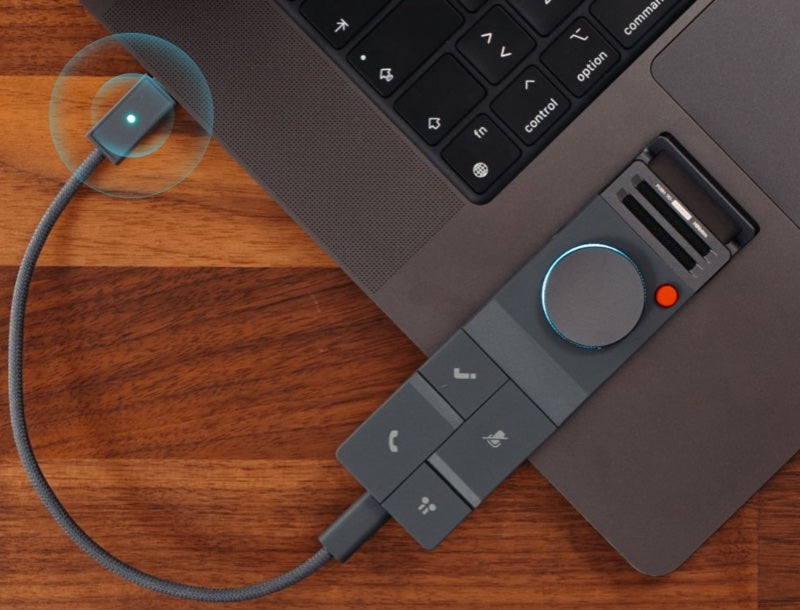
Touch-control cable
Start, mute or mark a recording without opening an app.
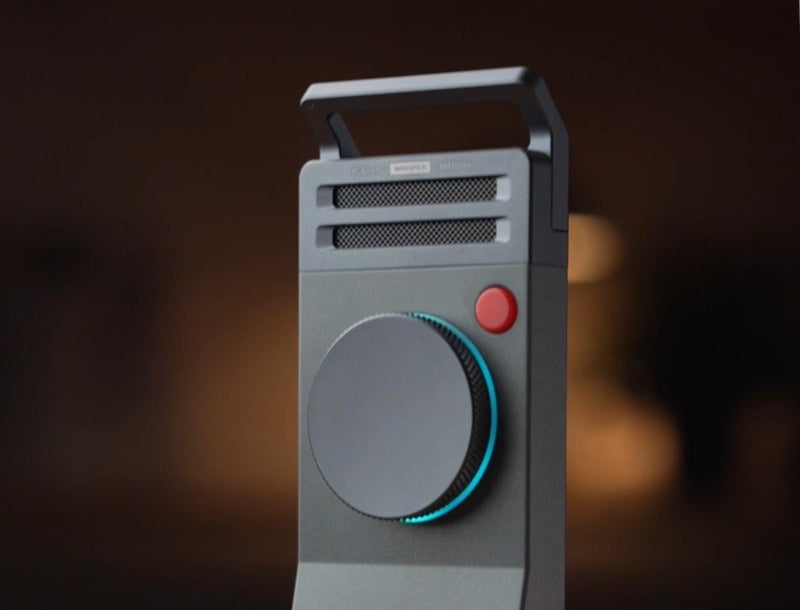
Aluminum holder and wheel
Solid metal parts, built to be handled every day.
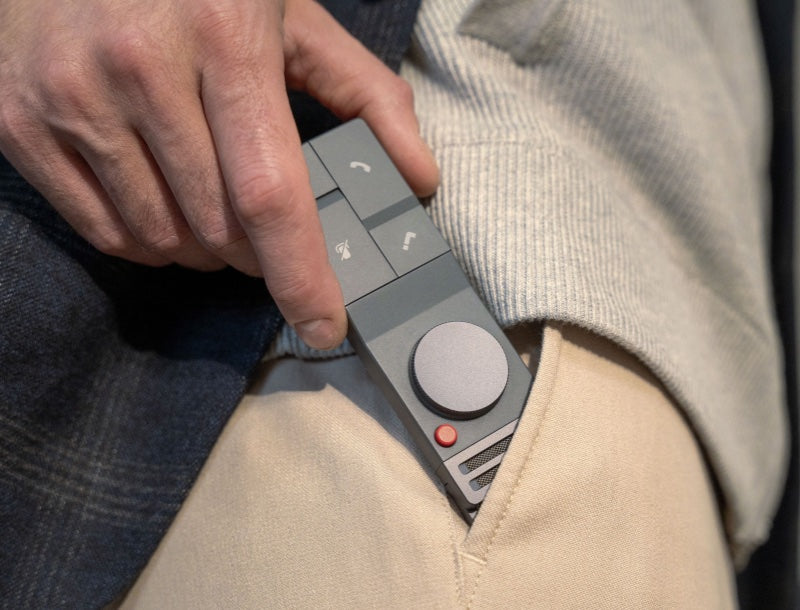
Pocket-size, 72 g
Light enough to live in your laptop bag.

Audio
Every voice,
clear enough to transcribe.
Three modes
One recorder for
every conversation.

Online calls
Call Mode records both sides of Zoom, Teams and Meet through your Bluetooth earphones.

Face-to-face meetings
Room Mode picks up everyone around the table, for meetings, interviews and classes. No laptop needed.
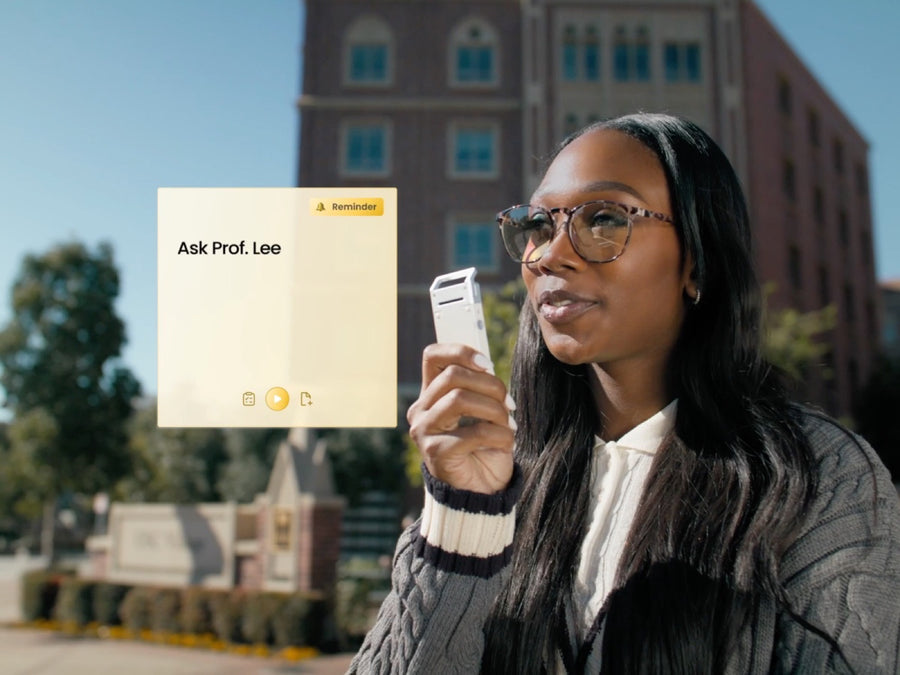
Voice notes and ideas
Whisper Mode: hold the button, bring P1 close and speak in a low voice. No need to whisper.
Why HiDock
Why professionals choose HiDock
Capture more conversations and keep core AI notes included with the device.
| HiDock P1 | Plaud | Granola | |
|---|---|---|---|
| Record Bluetooth earphone calls | |||
| Record face-to-face meetings | |||
| Unlimited transcription included with the device | |||
| Record without meeting bots | |||
| Direct access from browser — no driver, no installation |
Based on publicly available product information, November 2026.
Black Friday gift: free leather case · Nov 19–21
Black Friday: extra 5% off any 2 HiDock devices · Ends Nov 30
Tech specs
Specs
- Size
- 126 × 38 × 15.8 mm
- Weight
- 72 g (0.16 lb)
- Recording capacity
- Up to about 1,000 hours
- Microphone
- Dual Ø6 mm ECM
- Connector
- USB-C
- Recording modes
- Online calls, face-to-face, voice notes
- Battery
- 600 mAh, up to 8 hours in Room Mode
- Bluetooth
- Bluetooth 5.3, for your earphones
- Works with
- Mac and Windows, USB-C iPhone 15 and later, Android (OTG)
What’s in the box

- HiDock P1
- Magnetic metal plate
- Touch control cable · Quick start guide
This product is rated 4.4 of 5.0 stars.
It has received 303 reviews.
FAQ
Questions before you buy
Can I keep my earphones in while I record a meeting or call?
Yes. Connect P1 to your laptop with the included cable and pair your Bluetooth earphones with P1 once in HiNotes. Then join Zoom, Teams, Google Meet or a phone call through your earphones as usual. P1 records both sides, and it reconnects to your earphones automatically next time.
Does P1 work without a laptop?
Yes, for face-to-face meetings and voice notes. P1 has a built-in battery, so Room Mode and Whisper Mode record on their own in a meeting room, a class or an interview. To record calls and online meetings through your earphones, connect P1 to your laptop with the included cable.
How long does the battery last?
Up to 8 hours of recording per charge in Room Mode. Each recording can run up to 4 hours; for longer sessions, start a new one. When P1 is plugged into a computer that’s on power, total recording time isn’t limited.
Which laptops and phones does it work with?
Mac and Windows laptops with a USB-C port, USB-C iPhones (iPhone 15 and later) and USB-C Android phones and tablets that support OTG. iPhones with a Lightning port aren’t supported. There’s no software to install: open HiNotes web in Chrome or Edge, or use the HiNotes app on your phone.
Which meeting and call apps does it work with?
Zoom, Microsoft Teams, Google Meet, Webex, WhatsApp, Slack and phone calls, on your laptop or your phone. Nothing joins the meeting as a participant.
Is transcription included?
Yes. Every HiDock comes with HiNotes Member: free core transcription and AI summaries for life, in 75+ languages. Member also includes 300 Pro minutes every month. Claim them in HiNotes under Profile → Plans. Pro and Unlimited are optional paid upgrades for speaker identification, 39+ summary templates and more.
Do I need to tell other people I’m recording?
Yes. Recording laws differ by country and by US state, and some require everyone’s consent. P1 removes the meeting bot and the speakerphone, not the need to ask. Let people know before you record.
How much can it record?
Up to 1,000 hours of recordings fit on the device. Transfer recordings to HiNotes to transcribe them.
Where are my recordings stored?
On P1 until you transfer them. Nothing uploads automatically. To transcribe, recordings are uploaded to HiNotes, which runs on Microsoft Azure, encrypts data with AES-256 and doesn’t use your recordings to train AI.
Which browsers does HiNotes web support?
Chrome and Edge. Safari isn’t supported. On your phone, use the HiNotes app.
What about shipping, returns and warranty?
Free shipping on P1, 30-day returns and an 18-month warranty.
Still have questions? Email support@hidock.com
HiDock P1
Record every meeting.
Forget nothing.
$199
Black Friday gift: free leather case · Nov 19–21
Black Friday: extra 5% off any 2 HiDock devices · Ends Nov 30

